




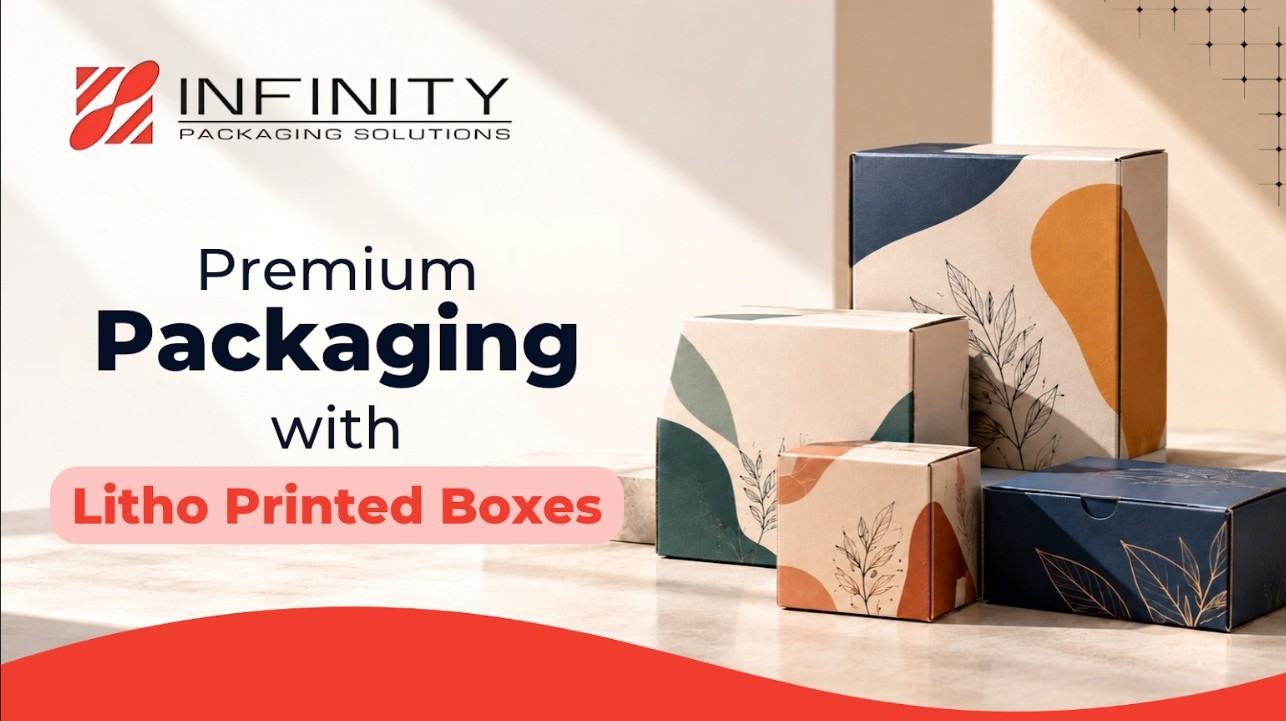
Preparing packaging artwork for production involves more than creating an attractive design. File setup, color specifications, image quality, typography, dieline accuracy, and proof approval all influence how the finished packaging looks and performs.
Litho printed packaging is often selected for designs that require detailed graphics, carefully controlled colors, and a polished printed surface. When the printed sheet is mounted onto a corrugated structure, the artwork must also account for panel dimensions, folds, and the construction of the finished box.
This guide explains the main artwork preparation steps that brands and packaging designers should review before approving a litho printed packaging project.
1. Start With the Correct Packaging Dieline
A packaging dieline defines the flat layout of a box before it is folded and assembled. It identifies panels, fold lines, cut lines, glue areas, and other structural details needed to manufacture the package.
Artwork created without an approved dieline can lead to misplaced graphics, text crossing fold lines, or design elements appearing in the wrong position after assembly.
- Panel dimensions: Verify each panel against the approved packaging design.
- Fold and cut lines: Check where the printed surface will be folded or trimmed.
- Glue areas: Keep essential graphics and readable text away from areas covered by adhesive or another panel.
- Panel orientation: Confirm that logos, product information, and graphics face the correct direction after assembly.
- Bleed requirements: Extend artwork beyond the trim edge according to the production provider’s specifications.
Always use the current approved dieline supplied for the project. A template for a similar box may not have the same dimensions or construction.
2. Set Up Colors for the Intended Printing Process
Color management is an important part of packaging artwork preparation. A color that looks correct on a monitor may appear different when reproduced on a printed sheet. Screens display color using light, while commercial printing generally uses ink. Paper, ink, printing conditions, coatings, and color profiles can all influence the final appearance.
Before submitting artwork:
- Confirm the required color mode and color profile with the printing provider.
- Use specified CMYK values for process colors where appropriate.
- Identify brand colors that may require a separately specified spot color.
- Provide accurate brand color references and approved artwork files.
- Review critical colors on an appropriate physical proof when necessary.
Do not rely on a monitor preview alone for exact brand color approval. Screen calibration and display settings can influence how colors appear.
3. Check Image Resolution Before Exporting
Product photography, illustrations, textures, and background images can contribute significantly to packaging design. An image that appears sharp on screen may not reproduce well at its final printed size. Check the effective resolution at the dimensions at which the image will appear in the artwork.
- Use original, high-quality image files whenever possible.
- Check effective resolution at final print size.
- Avoid screenshots or heavily compressed images for important product photography.
- Inspect fine details, gradients, and image edges at an appropriate magnification.
- Confirm the required resolution with the printing provider.
Vector graphics are generally preferable for logos, icons, and artwork that must remain sharp at different sizes. Photographs normally require suitable raster image resolution.
4. Make Typography Clear and Print-Ready
Typography must remain readable after packaging is printed, trimmed, folded, and assembled. Very small text, thin strokes, decorative fonts, and insufficient contrast can make information difficult to read.
- Font consistency: Use approved brand fonts and maintain a clear hierarchy.
- Text size: Check the smallest text at its intended physical size.
- Font handling: Follow instructions for embedding fonts or converting text to outlines when required.
- Contrast: Ensure text stands out from its background.
- Fine details: Review thin lines, small symbols, and intricate lettering.
If packaging includes regulated product information, ingredients, warnings, or mandatory labeling, have that content reviewed separately. A print-ready file does not automatically guarantee compliance with labeling rules.
5. Allow for Bleeds, Safe Areas, and Folding
Bleed extends artwork beyond the intended trim edge to account for small cutting variations. A safe area is the region inside trim or fold boundaries where important content should remain.
- Extend background colors and edge-to-edge images to the specified bleed.
- Keep essential text and logos inside the recommended safe area.
- Avoid placing critical information directly across fold lines.
- Check that graphics align correctly across adjacent panels.
- Review areas where panels overlap, tuck in, or cover one another.
Bleed dimensions and safe-area requirements vary by project. Follow the approved dieline and production instructions rather than assuming a universal measurement.
7. Account for the Printed Sheet and Final Box Structure
Litho printing and box construction are related but separate stages of packaging production. In a common litho-lamination process, artwork is printed on a paper sheet that is subsequently mounted onto corrugated board. The printed sheet provides the graphic surface, while the underlying structure contributes to the box’s physical characteristics.
Before artwork approval, confirm:
- The approved box dimensions and construction.
- The location of visible and concealed panels.
- The placement of seams, joints, and glue areas.
- Any areas where graphics must align across panel boundaries.
- How the printed sheet will align with the final assembled package.
A packaging mockup or structural sample can help identify layout issues before the design moves into full production.
7. Specify Finishing Requirements Before Finalizing Artwork
Finishing choices can influence how packaging artwork should be prepared. Options may include matte or gloss coatings, spot UV, foil stamping, embossing, or debossing, depending on the project’s materials and production capabilities.
Before finalizing the design, establish:
- Which finishing effects are required.
- Which areas will receive each treatment.
- Whether separate technical artwork files or masks are needed.
- How the finish may affect contrast, texture, or nearby graphics.
- Whether a physical sample or finishing proof is needed.
Not every design benefits from multiple finishing effects. The right approach depends on the visual objective, technical feasibility, budget, and intended use of the package.
8. Export and Preflight the Final Artwork File
A preflight review helps identify missing images, font problems, incorrect color settings, and other file issues before artwork is sent for printing. Exact requirements depend on the printing provider, but a typical review should cover:
- Correct dieline and final dimensions.
- Appropriate bleed and safe areas.
- Correct color settings and any required spot colors.
- Sufficient image resolution.
- Properly embedded fonts or outlined text, as specified.
- Correct placement of technical finishing layers.
- No accidental hidden objects, unwanted marks, or outdated artwork.
- A suitable export format and output settings.
PDF is commonly used for commercial print submissions, but confirm the required format, PDF standard, color profile, and export settings with the production provider. Keep an editable source file and a clearly identified final production file to avoid submitting an outdated version.
9. Approve a Proof Before Full Production
A proof gives the project team an opportunity to review artwork before the full production run. A digital proof can help confirm layout and text; a color-managed proof may provide a better reference for color evaluation; and a physical mockup can help assess the assembled package.
During proof review, check:
- Artwork accuracy: Confirm that approved logos, images, text, and graphics are present.
- Color appearance: Review important brand colors and other critical color expectations.
- Text and labeling: Check spelling, dimensions, alignment, and readability.
- Panel placement: Verify graphics against the dieline and final construction.
- Finishing details: Confirm the position of specified special effects.
- Version control: Make sure the proof matches the latest approved artwork.
If changes are required, document them clearly and review the revised proof before giving final approval. A visual proof should not be treated as a substitute for structural testing or a separate regulatory review.
Common Packaging Artwork Mistakes to Avoid
| Common mistake | How to prevent it |
| Designing without the final dieline | Obtain and verify the approved template first. |
| Using low-resolution images | Check effective image resolution at final print size. |
| Relying only on screen colors | Confirm color specifications and review an appropriate proof. |
| Placing text too close to edges | Follow specified safe areas and bleed requirements. |
| Ignoring folds and glue panels | Review the artwork against the actual box construction. |
| Adding finishes late | Specify finishing requirements during artwork development. |
| Submitting an outdated file | Use clear version naming and final approval procedures. |
| Skipping proof review | Check the final proof before authorizing production. |
How Artwork Preparation Supports Litho Printed Packaging Projects
Packaging artwork needs to work with the physical package, not just look good on a screen. Correct file setup, accurate panel placement, suitable image quality and clear production instructions help the printing and packaging teams work from a consistent specification.
For projects involving printed graphics mounted onto corrugated structures, artwork preparation should be coordinated with the intended box design and manufacturing requirements. Businesses planning a new packaging project can review the specifications and options for custom litho-laminated boxes before finalizing their artwork. Discussing these details early can help identify technical requirements before the file is approved for production.
The goal is to make sure the artwork, print requirements, and packaging construction are aligned from the start.
Final Thoughts
Effective packaging artwork preparation begins with clear specifications and careful coordination between design and production. Checking the dieline, color settings, image resolution, typography, finishing requirements and proof details can help reduce avoidable errors and support a more predictable manufacturing process.
By treating artwork preparation as a technical production step rather than simply the final stage of graphic design, businesses can make better-informed decisions before approving litho printed packaging.
Frequently Asked Questions
Q. What is packaging artwork preparation?
Packaging artwork preparation is the process of setting up and checking design files before printing. It includes reviewing dimensions, dielines, colors, image resolution, typography, bleed, finishing requirements, and output settings.
Q. What should a print-ready packaging file include?
A print-ready file should follow the production provider’s specifications for dimensions, dieline, bleed, color settings, image quality, fonts, finishing details, and export format. Requirements depend on the printing process and packaging design.
Q. Why is a dieline important in packaging design?
A dieline shows the cutting, folding, and panel layout of a package. It helps designers position artwork correctly so important graphics and text remain visible and aligned after assembly.
Q. How can brands maintain color consistency in packaging?
Brands can provide approved color references, follow the printer’s color-management requirements, use appropriate color profiles, and review suitable proofs. Exact reproduction depends on materials, inks, printing conditions, and finishing.
Q. Should packaging artwork be approved before production?
Yes. The final artwork should be checked and approved before full production. Depending on the project, this may involve a digital proof, color proof, physical mockup, or a combination.
Q. Does lithographic printing determine the strength of a packaging box?
No. Printing quality and structural strength are different considerations. The printed artwork affects visual presentation, while board construction, dimensions, design, and assembly contribute to structural performance.